
Chrome extension
AI summarizer for YouTube, PDFs, articles, and webpages.
Reduz runs from the browser toolbar and side panel. Bring your own AI key, summarize the active source, and keep searchable history locally.
Direct provider requests
Source text goes directly from your browser to your selected AI provider. API keys and summary history stay in this browser. Provider API charges apply.
Updated September 18, 2026
One extension for the main reading surfaces.
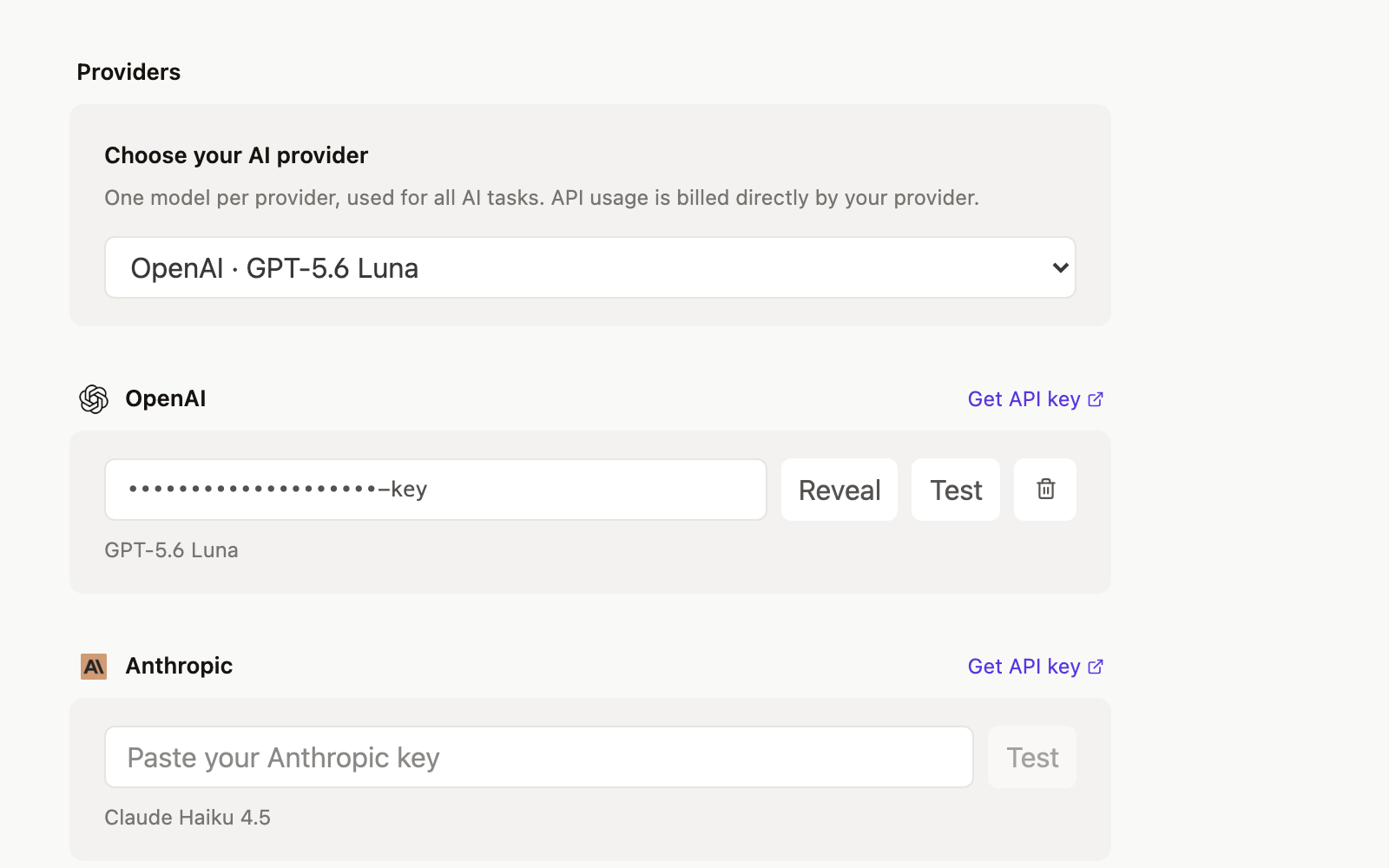
Reduz supports OpenAI, Anthropic Claude, Google Gemini, DeepSeek, and xAI Grok with your own API key. One model per provider handles every AI task.
- YouTube summarizer
- PDF summarizer
- Article summarizer
- Webpage summarizer
Connect your provider.
Connect your own AI key so requests go directly from your browser to the provider.
Screenshots
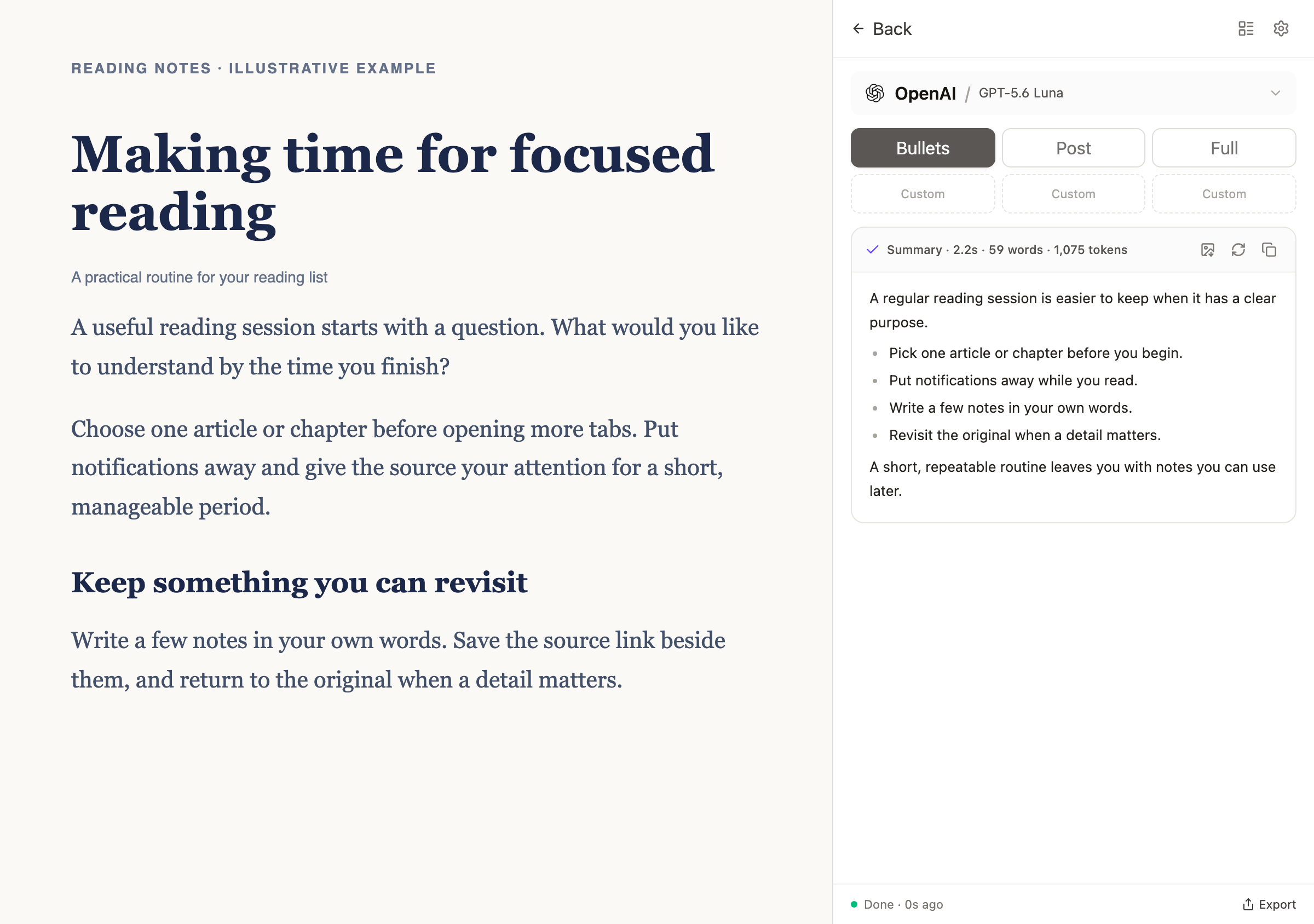
Summarize the active tab
Pick a summary style and run Reduz with your selected provider without leaving the page.
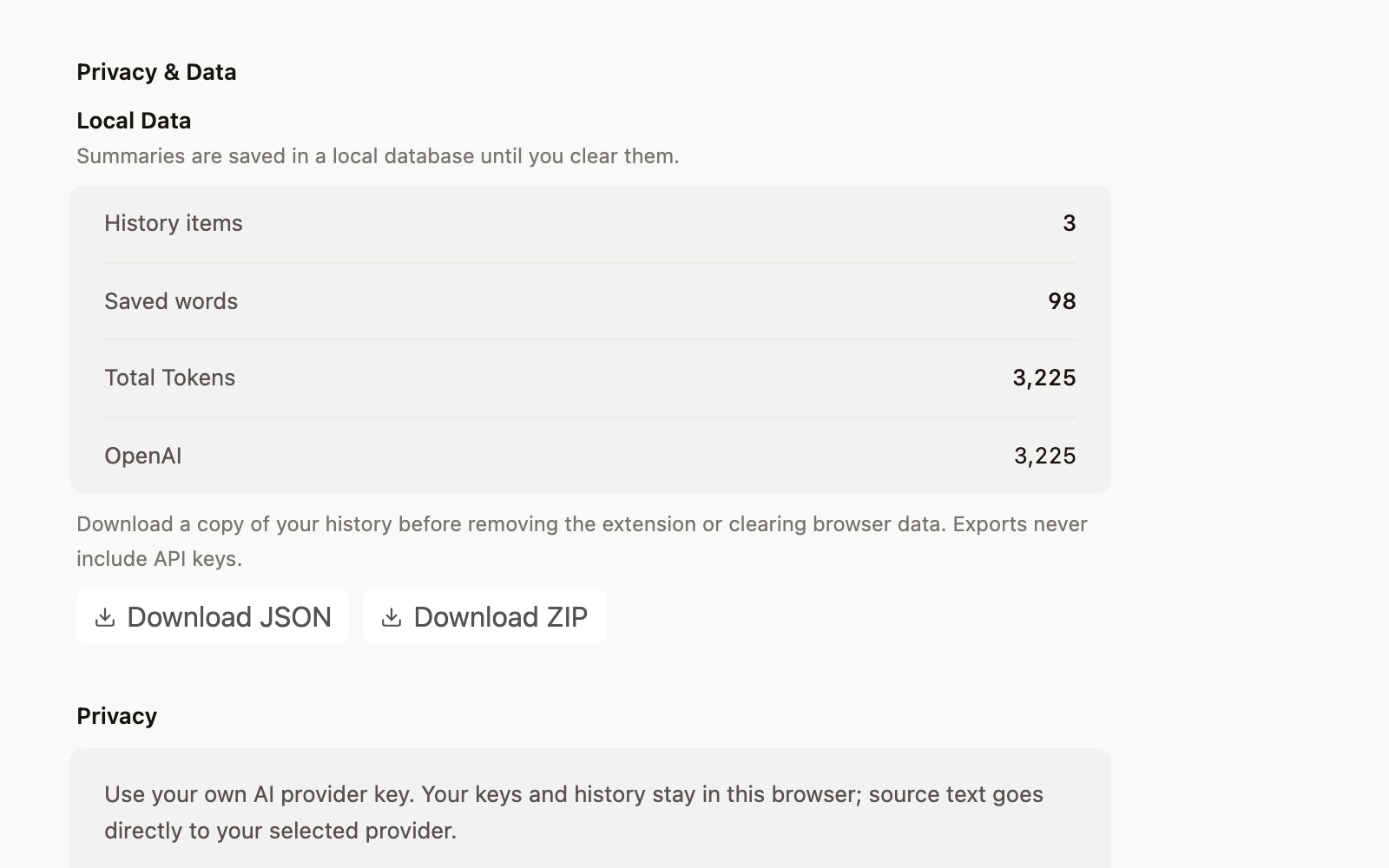
Keep useful summaries
Search, revisit, export, or clear your local summary history when the work is done.
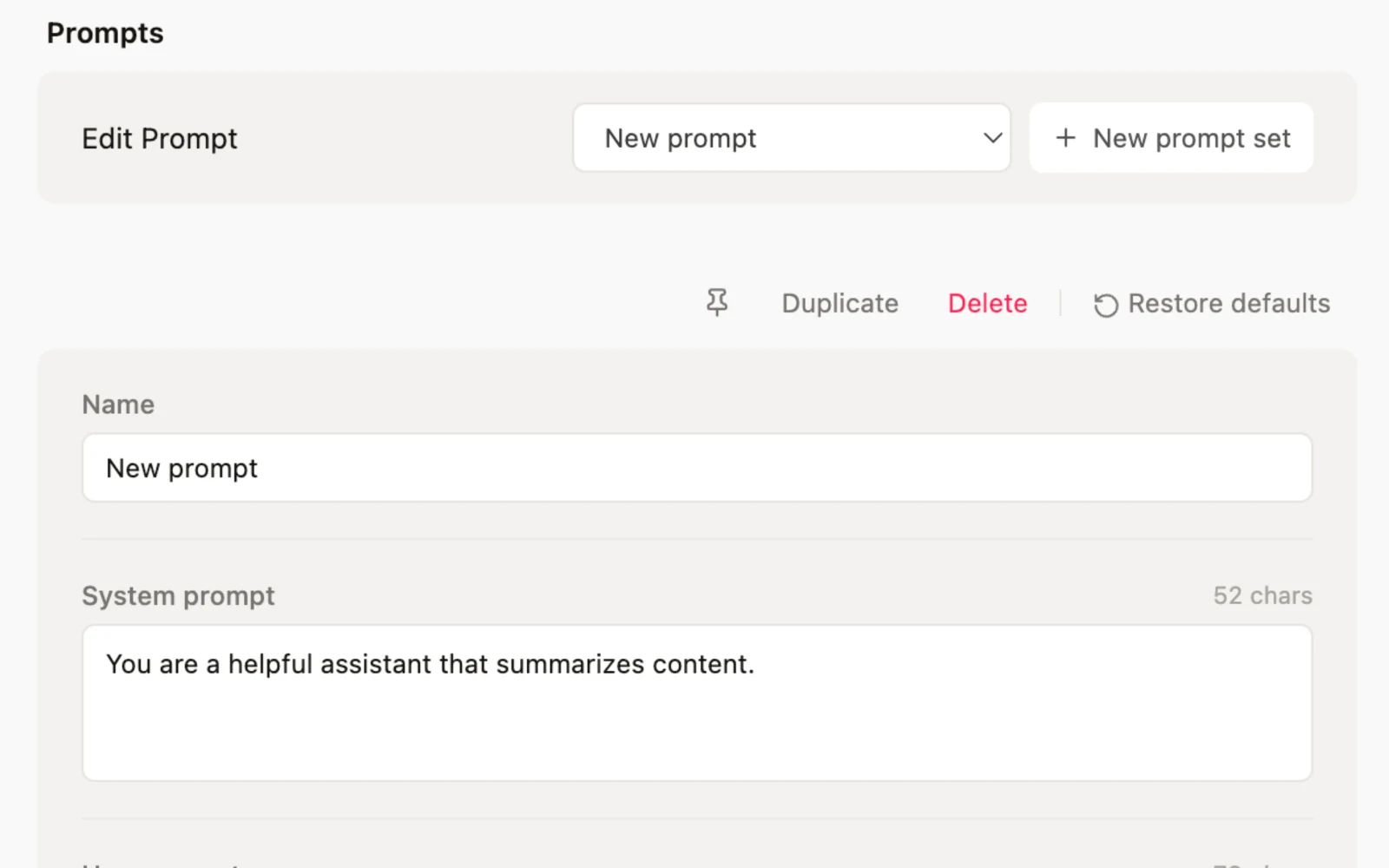
Control providers and local data
Manage provider keys, output language, prompts, privacy settings, and local history exports.
How to use it
Install
Add Reduz to Chrome, then pin it if you want one-click access from the toolbar.
Connect your key
Choose an AI provider, paste your API key, and test the connection in Settings.
Summarize
Open an article, PDF, or YouTube video, then run a summary from the popup or side panel.
Frequently asked questions
What does the Reduz Chrome extension summarize?
Reduz summarizes YouTube videos, PDFs, articles, webpages, selected text, and transcripts from the active Chrome tab.
How do I get started?
Connect a provider API key in Settings, or connect a local model. Requests go directly to the provider you select and history stays in your browser.
Which AI providers does Reduz support?
Reduz supports OpenAI, Anthropic Claude, Google Gemini, DeepSeek, and xAI Grok, using one model per provider for all AI tasks.