
Get the short version
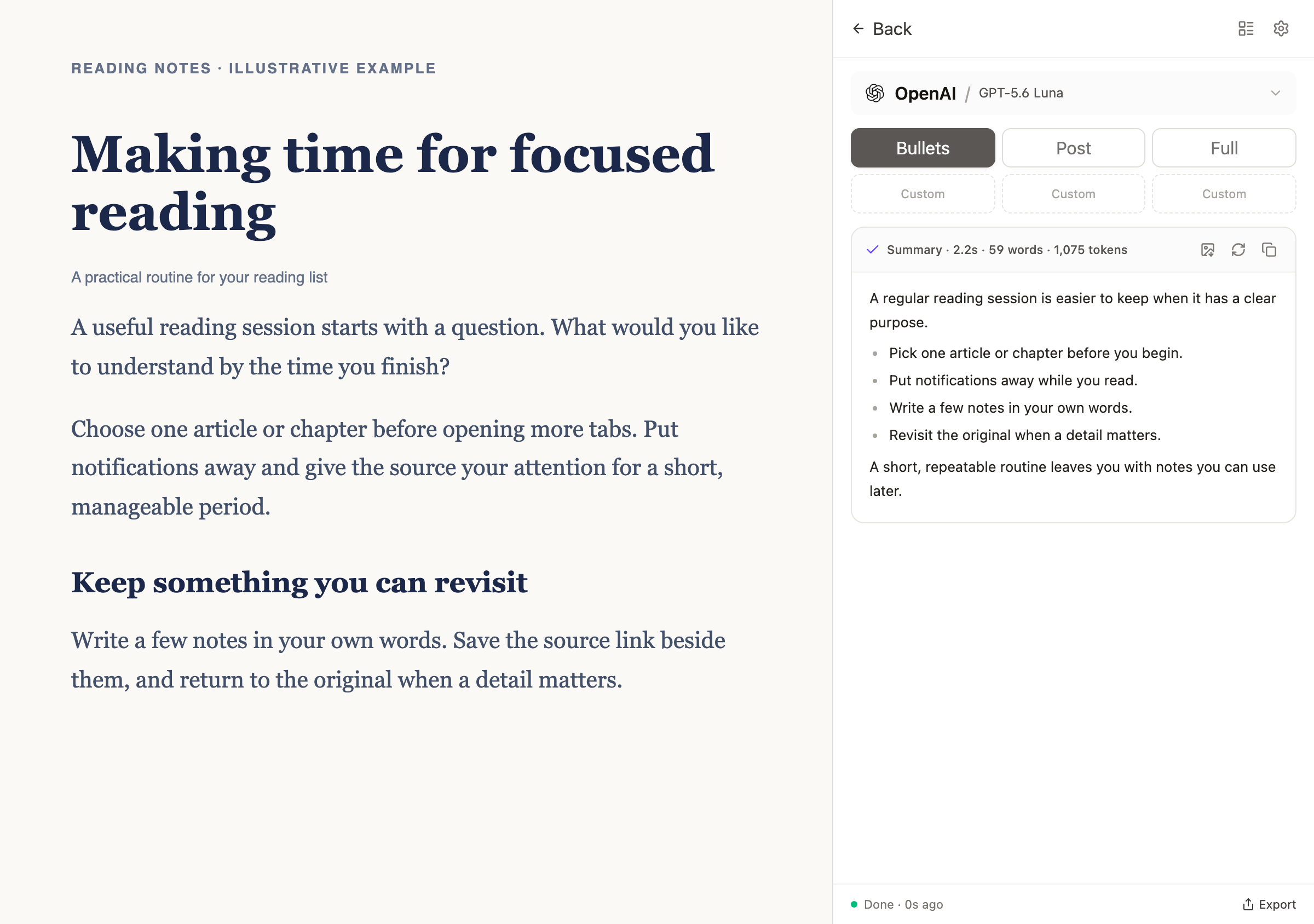
Summarize articles, PDFs, and YouTube videos without leaving Chrome. Choose a quick list of key points, a readable post, or a more detailed summary.
Reduz · Chrome extension
Get the main points from articles, PDFs, and YouTube videos without working through every minute or every page.
Reduz lives in Chrome, works with the AI provider you choose, and saves your summaries so you can find them again.
No account. No subscription. Just bring your own AI key.
Bring your own AI key for any of these providers
Why Reduz
Some articles are worth reading word for word. Others just need a few minutes. The same goes for long videos, reports, and PDFs — Reduz helps you decide what’s worth your time.
Summarize articles, PDFs, and YouTube videos without leaving Chrome. Choose a quick list of key points, a readable post, or a more detailed summary.
Connect Reduz to OpenAI, Claude, Gemini, DeepSeek, or Grok using your own API key. You’re free to switch providers whenever you like.
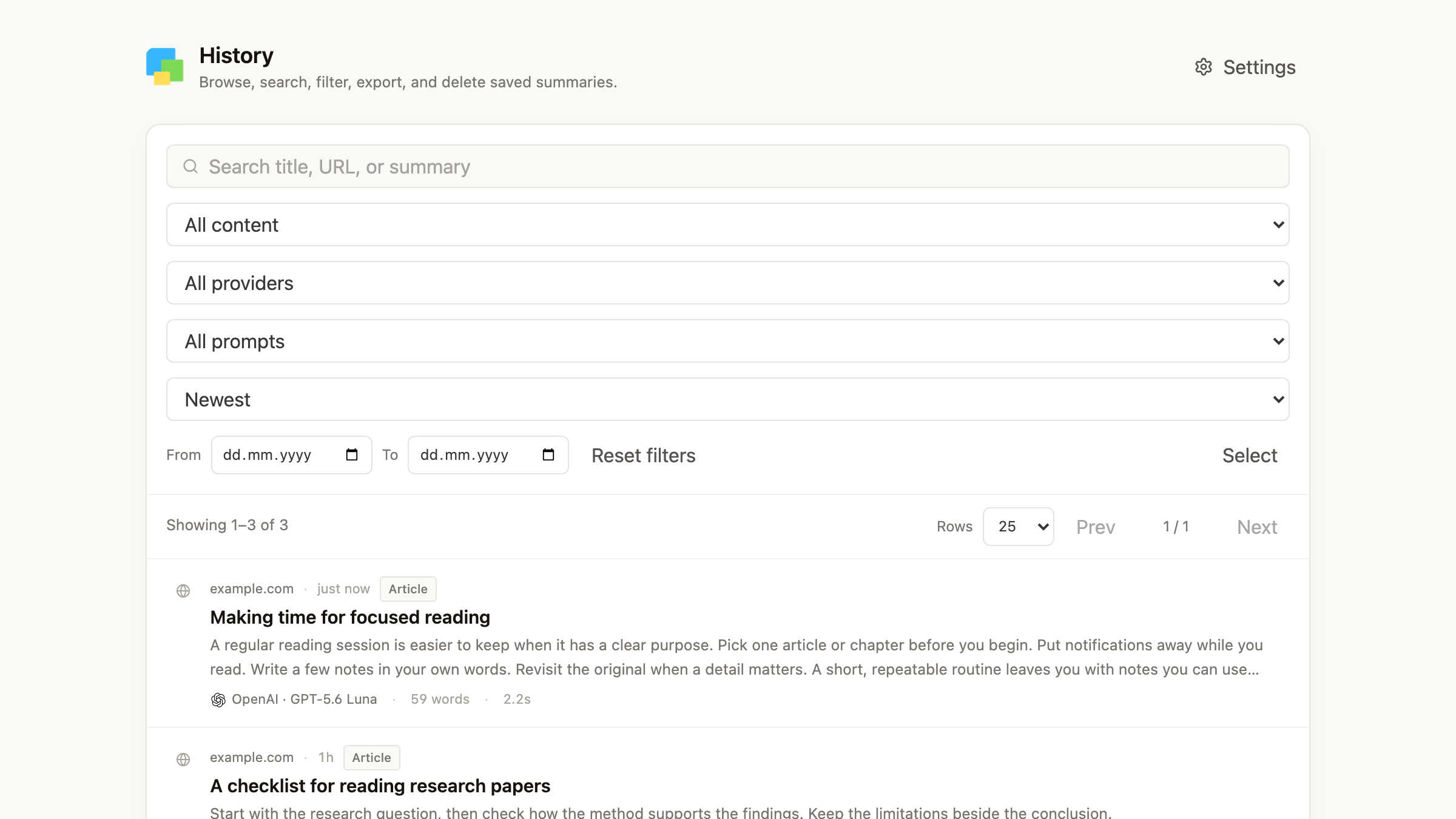
Every summary goes into your browser’s searchable history. Look something up later, or export your summaries as PDF, Markdown, or ZIP files.
Summarize a YouTube video’s available captions, complete with timestamps. Click a timestamp to return to that moment in the video.
Not everyone wants the same kind of summary. Write and save your own prompts for study notes, research, article drafts, or whatever else you’re working on.
Your settings, API keys, and summary history are stored in your browser. Export your summaries whenever you want.
Get started
Install the extension from the Chrome Web Store.
Enter an API key from one of the supported providers. Reduz uses that provider to generate your summaries.
Open an article, PDF, or YouTube video. Choose the kind of summary you want, and Reduz takes it from there.
Reduz doesn’t charge you to use the extension. You use your own AI provider account and pay that provider directly for any API usage, according to its pricing. Your summaries and settings stay in your browser.
Reduz summarizes YouTube videos, PDFs, articles, webpages, readable page selections, and transcripts from the Chrome extension.
Install the extension and add a key from your chosen AI provider in Settings, or connect a local model. Provider API usage is billed separately; history stays in your browser.
Provider keys stay in Chrome storage on your device and requests go directly from your browser to the selected provider.